

Information

Please visit our international page to see all the numbers matching your region.

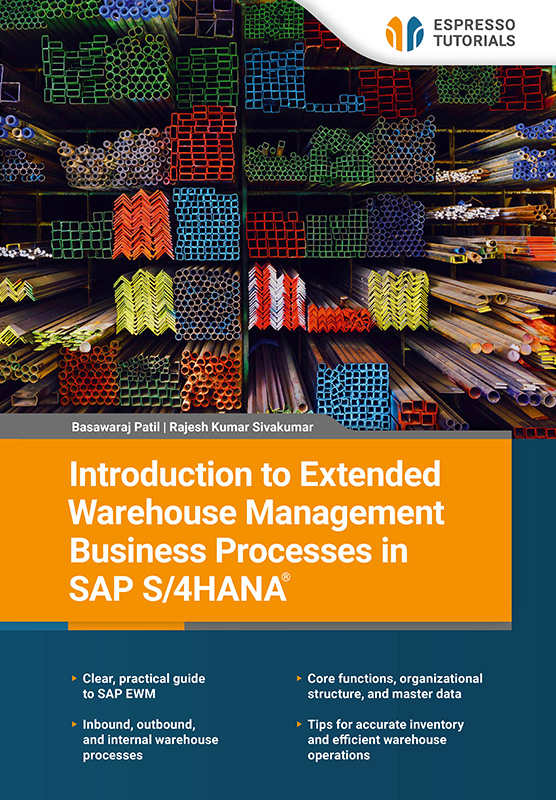
Introduction to Extended Warehouse Management Business Processes in SAP S/4HANA

Introduction to Extended Warehouse Management Business Processes in SAP S/4HANA

Part of:

Language

English

Pages

192

Level

Intermediate

ISBN

9783960123965

ISBN Print

9783960123958

E-Books

or access all content

Flat rate

$19 per month

  • Single license
  • 1000+ eBooks and video tutorials
  • Instant access
  • 12 months($228per year)
  • Automatic renewal

More Details

“Introduction to Extended Warehouse Management Business Processes in SAP S/4HANA” is a clear and accessible guide for warehouse managers, logistics professionals, and readers who are new to EWM, who want a practical understanding of SAP Extended Warehouse Management (EWM). This book focuses on the processes, concepts, and everyday applications that matter most in real warehouse operations.

Gain a solid overview of the key deployment options—embedded, decentralized, and cloud-based—and understand how each approach supports different business requirements. Walk through EWM’s core functions, examining how warehouse tasks, orders, resources, and execution steps work together to drive efficient operations. Explore the fl ow of goods into and out of the warehouse, including inbound receiving, putaway, outbound picking, staging, and shipping processes.

Internal warehouse activities such as replenishment and stock transfers are presented in a straightforward, easy-to-follow way. Finally, the physical inventory chapter provides clear guidance on maintaining accurate stock levels using EWM’s counting methods and tools.

With real-world context and practical guidance, this book helps you run a more efficient, responsive, and well-organized warehouse using SAP.

  • Clear, practical guide to SAP EWM
  • Inbound, outbound, and internal warehouse processes
  • Core functions, organizational structure, and master data
  • Tips for accurate inventory and effi cient warehouse operations

Reading Example

2.1 Defining and assigning warehouses

Once the company code, plants and storage locations have been created, the next step is to define a warehouse and assign it to plants, storage locations, and an ERP warehouse. In this step, you need to create a warehouse in EWM and then assign a link to the ERP warehouse. In EWM, you can manage an entire physical warehouse complex using a single warehouse number. Multiple plants can be assigned to one warehouse to manage stock and warehouse operations.

In SAP S/4HANA, the EWM system warehouse represents the highest organizational entity level. Further organizational structure elements such as storage types, storage sections, and storage bins are defined under the warehouse structure. Stock in the EWM is logically separated by the party that is entitled to dispose of it, or by owner. This helps the warehouse to know which stock is owned by which plant, especially where multiple plants are linked to the warehouse. Deliveries created in SAP S/4HANA are distributed to SAP EWM for further processing for example, picking, shipping, receiving, stock transfer, or putaway.

An EWM warehouse can be defined via IMG path SCM Extended Warehouse Management • Extended Warehouse Management • Master Data • Define Warehouse number (see Figure 2.2).

Figure 2.2: Defining the warehouse number

Figure 2.2: Defining the warehouse number

For a new warehouse number, it is always recommended to copy a predefined warehouse to the new warehouse. You can copy the warehouse via IMG path SCM Extended Warehouse Management • Extended Warehouse Management • Cross-Process Settings • Copy Warehouse Number Customizing.

As shown in Figure 2.3, you need to map the EWM warehouse to the S4 warehouse. This is done via IMG path SCM Extended Warehouse Management • Extended Warehouse Management • Interfaces • ERP Integration • General Settings • Assign Warehouse Numbers from Logistics Execution.

Figure 2.3: Mapping warehouse number to plant and storage location

Figure 2.3: Mapping warehouse number to plant and storage location

Frequentlyasked questions

General questions and answers about our learning content.

Who is the learning content suitable for?

The learning content is designed for anyone who wants to gain SAP knowledge in a simple, compact, and practical way. Our learning platform offers content for beginners, advanced learners, and experts. This enables you to expand your knowledge step by step and continuously develop your skills toward becoming an SAP expert.

What makes the learning content special?

Our products—whether books, videos, or online training—deliver SAP knowledge concisely and practically, so you can apply it directly in your daily work, even if you have limited time. You benefit from a broad coverage of relevant SAP topics, high-quality content in four languages, and learning formats designed to fit your individual needs. This ensures that you can stay up to date and continuously develop your expertise.

What distinguishes our books from those of other providers?

Our books are characterized by a clear practical focus and a compact, easy-to-understand presentation. We explain complex SAP topics concisely—without unnecessary marketing buzzwords—so readers can quickly grasp the essentials and apply the new knowledge directly.

Can the product be exchanged?

Our print books can be returned within 14 days, in original condition. Return shipping is at your own cost.

How can I order a book outside of Germany?

We currently only ship books directly within Germany. If you are ordering from outside Germany, we recommend purchasing via Amazon. You can find the link by selecting “Buy eBook” on any product in our webshop and Amazon will then show you both the eBook and print versions available for purchase.

Alternatively, you can access all our content with a digital subscription, starting at $19 per month.

Who can I contact if I have questions?

Our team is always happy to help and will respond to your questions as quickly as possible (usually within 1–2 days). You can also contact us if you have questions for one of the authors. Email: contact@espresso-tutorials.com